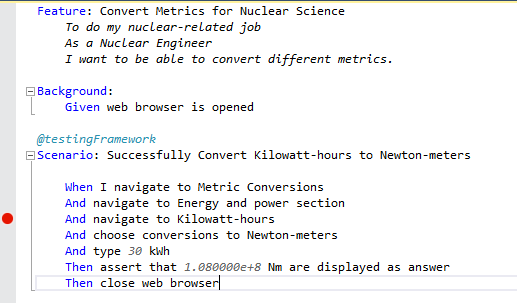
I am happy to announce a new series of blog posts dedicated to Specflow. In the first article, I am going to introduce to you the Specflow framework. You will be able to write and execute business-readable specification after 10 minutes. Keep reading!
Definition
SpecFlow acceptance tests follow the BDD paradigm: define specifications using examples understandable to business users as well as developers and testers.
Installation and Setup
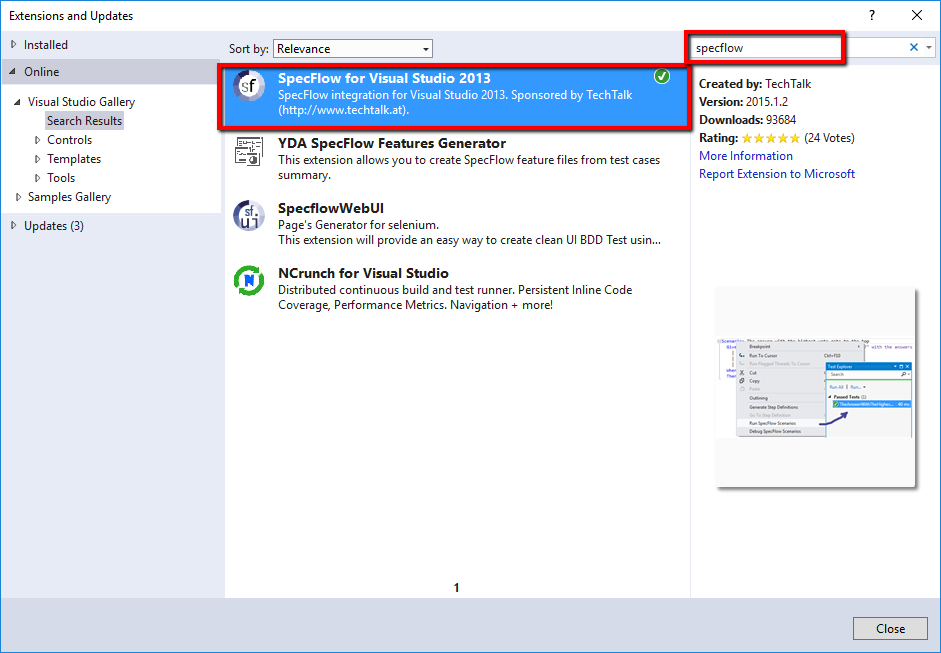
1. Install SpecFlow for Visual Studio (Open Extensions and Updates)
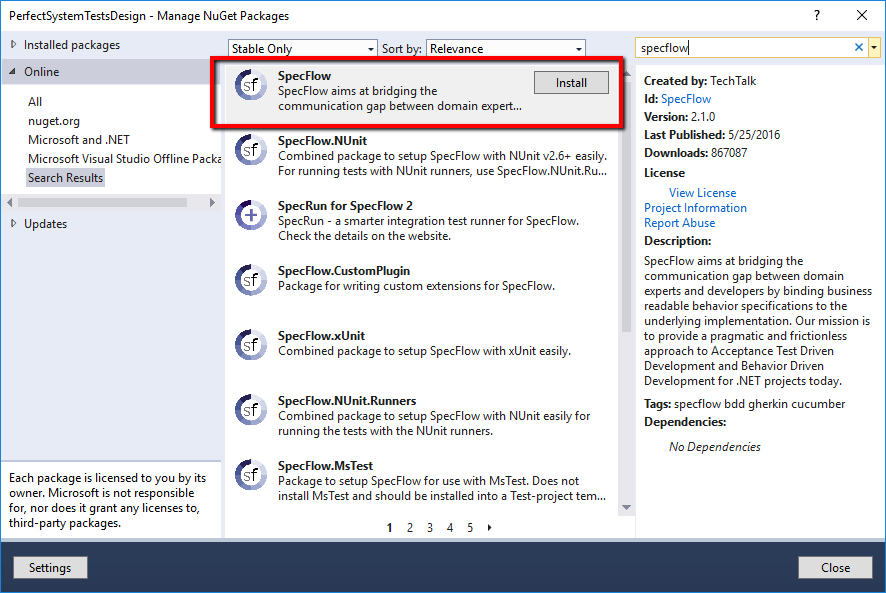
2. Install SpecFlow NuGet
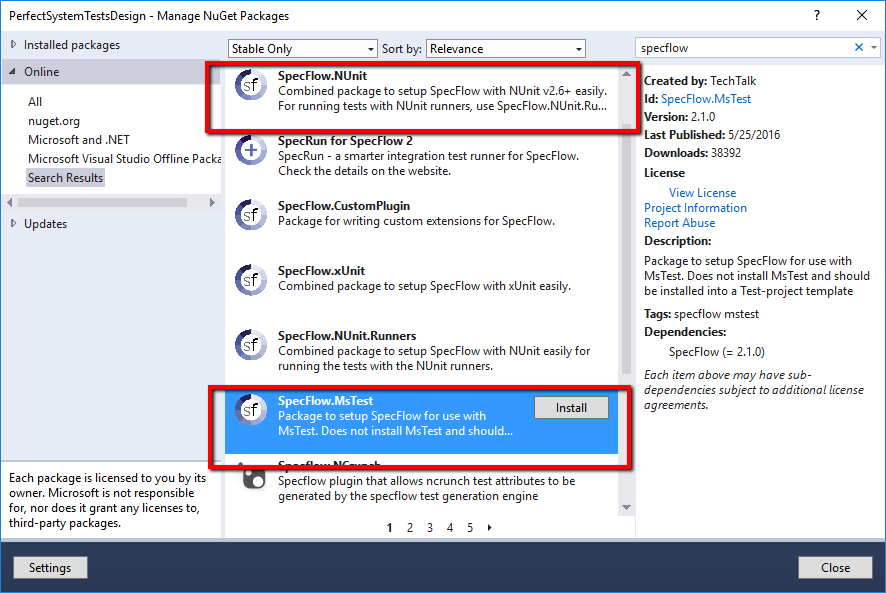
3. Install SpecFlow for MSTest NuGet
4. Add Feature File
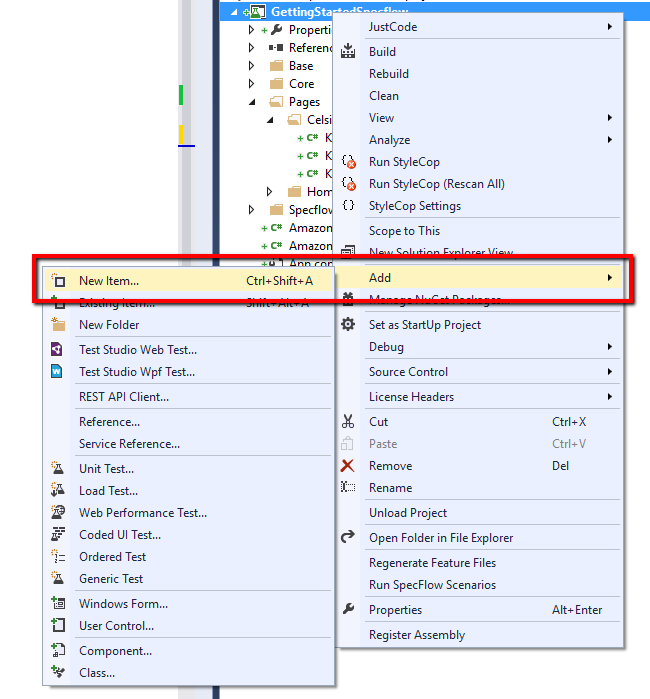
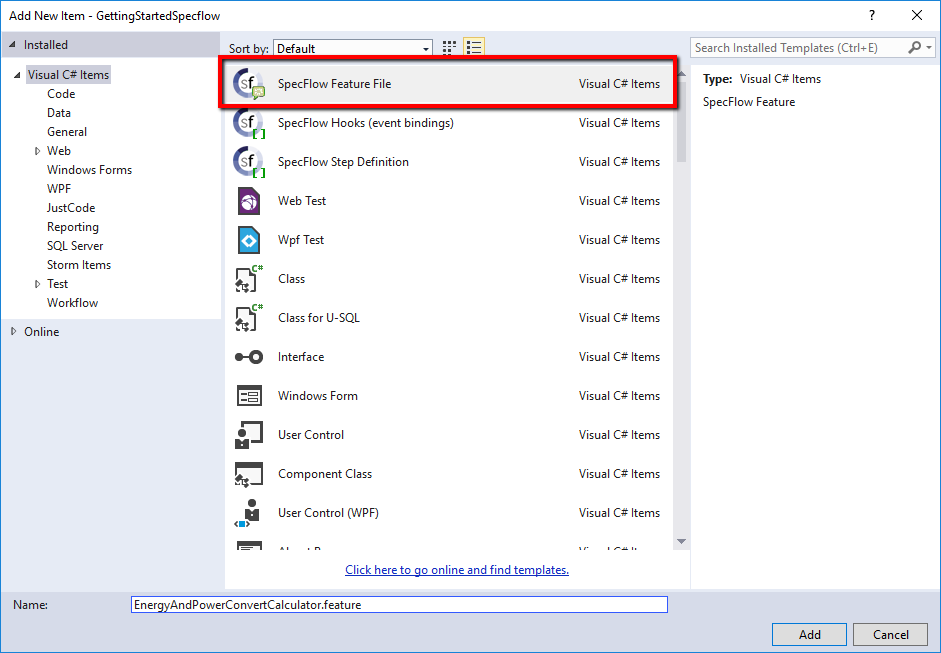
5. Create Your Scenarios
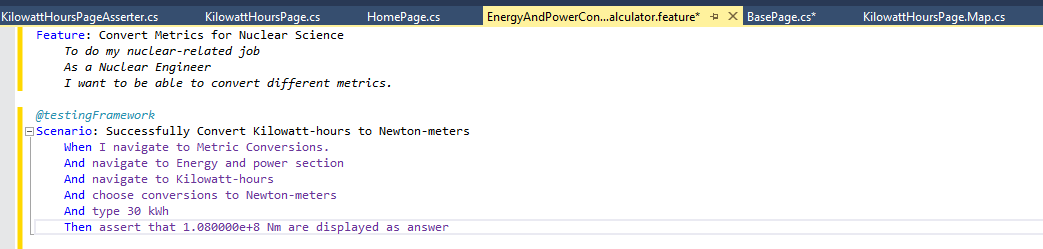
Use Case
1. Navigate to Metric Conversions.
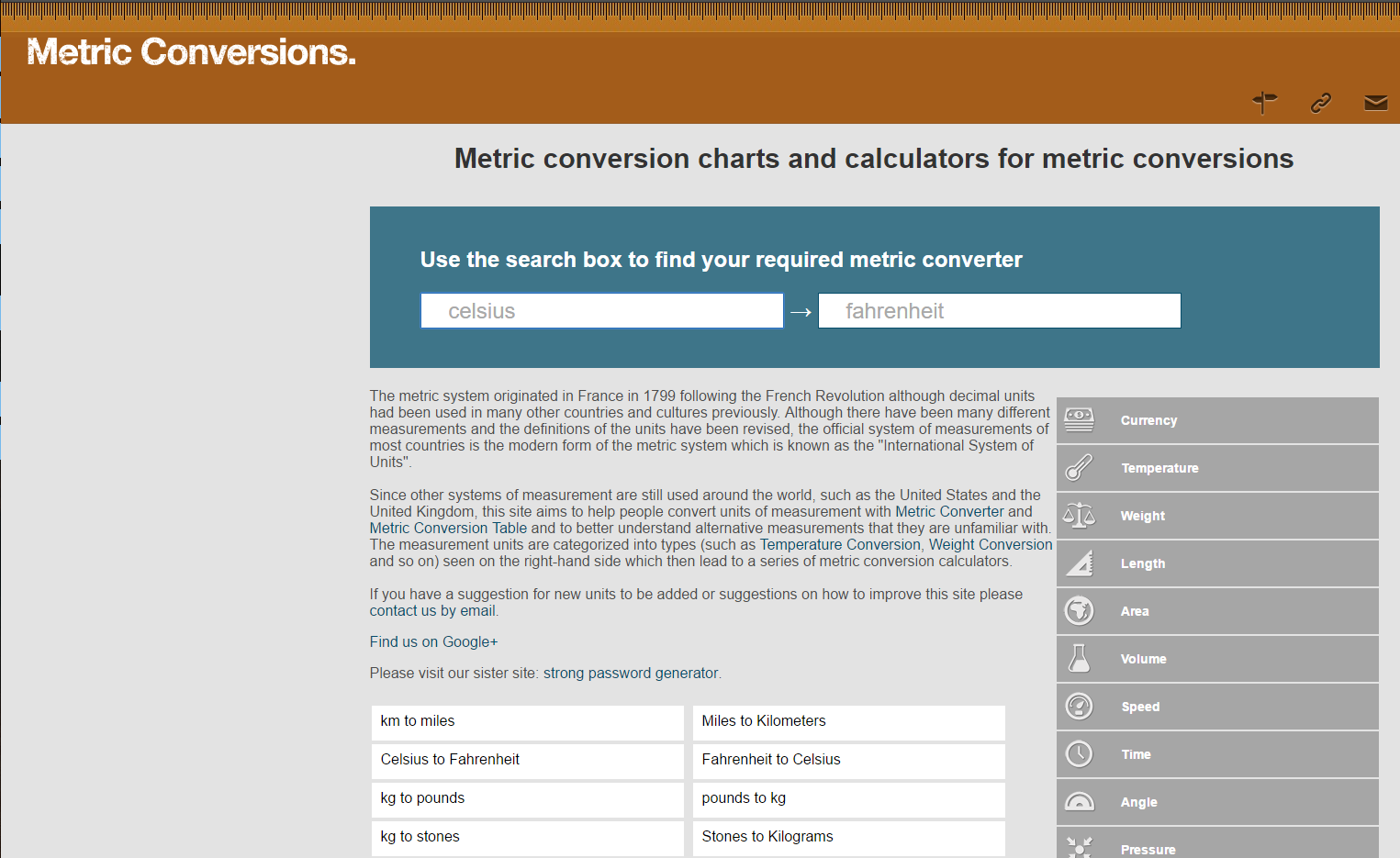
2. Navigate to Energy and Power Kilowatt-hours to Newton-meters conversion
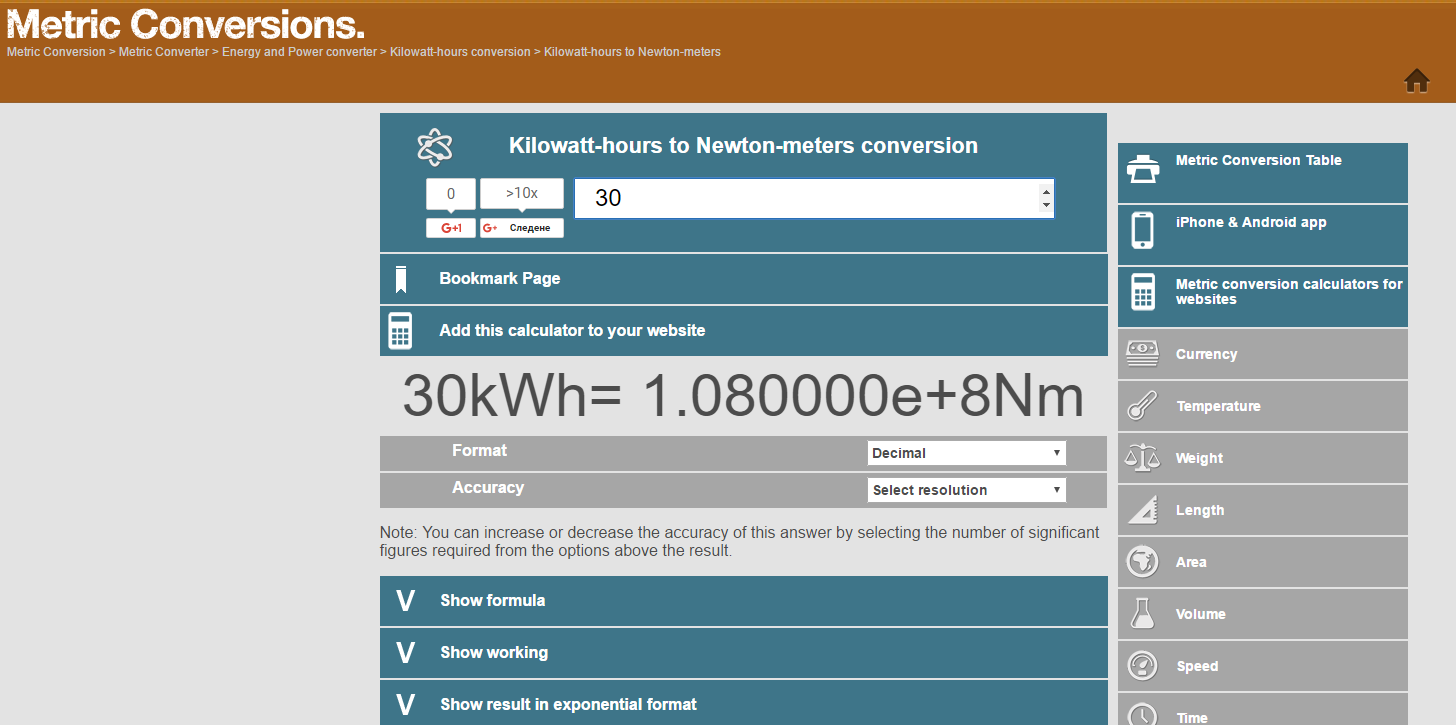
3. Type Kilowatt-hours
4. Assert Newton-meters
Getting Started with Specflow in C#
Create Page Objects
public partial class HomePage : BasePage
{
    public HomePage(IWebDriver driver) : base(driver)
    {
    }
    public override string Url
    {
        get
        {
            return "http://www.metric-conversions.org/";
        }
    }
}
public partial class HomePage
{
    public IWebElement EnergyAndPowerAnchor
    {
        get
        {
            return this.driver.FindElement(By.XPath("//a[contains(@title,'Energy Conversion')]"));
        }
    }
    public IWebElement KilowattHours
    {
        get
        {
            return this.driver.FindElement(By.XPath("//a[contains(text(),'Kilowatt-hours')]"));
        }
    }
}
public partial class HomePage : BasePage
{
public HomePage(IWebDriver driver) : base(driver)
{
}
public override string Url
{
get
{
return "http://www.metric-conversions.org/";
}
}
}
public partial class HomePage
{
public IWebElement EnergyAndPowerAnchor
{
get
{
return this.driver.FindElement(By.XPath("//a[contains(@title,'Energy Conversion')]"));
}
}
public IWebElement KilowattHours
{
get
{
return this.driver.FindElement(By.XPath("//a[contains(text(),'Kilowatt-hours')]"));
}
}
}public partial class KilowattHoursPage
{
public IWebElement CelsiusInput
{
get
{
return this.driver.FindElement(By.Id("argumentConv"));
}
}
public IWebElement Answer
{
get
{
return this.driver.FindElement(By.Id("answer"));
}
}
public IWebElement KilowatHoursToNewtonMetersAnchor
{
get
{
return this.driver.FindElement(By.XPath("//a[contains(text(),'Kilowatt-hours to Newton-meters')]"));
}
}
}public static class KilowattHoursPageAsserter
{
public static void AssertFahrenheit(this KilowattHoursPage page, string expectedNewtonMeters)
{
Assert.IsTrue(page.Answer.Text.Contains(string.Format("{0}Nm", expectedNewtonMeters)));
}
}Generate Bindings
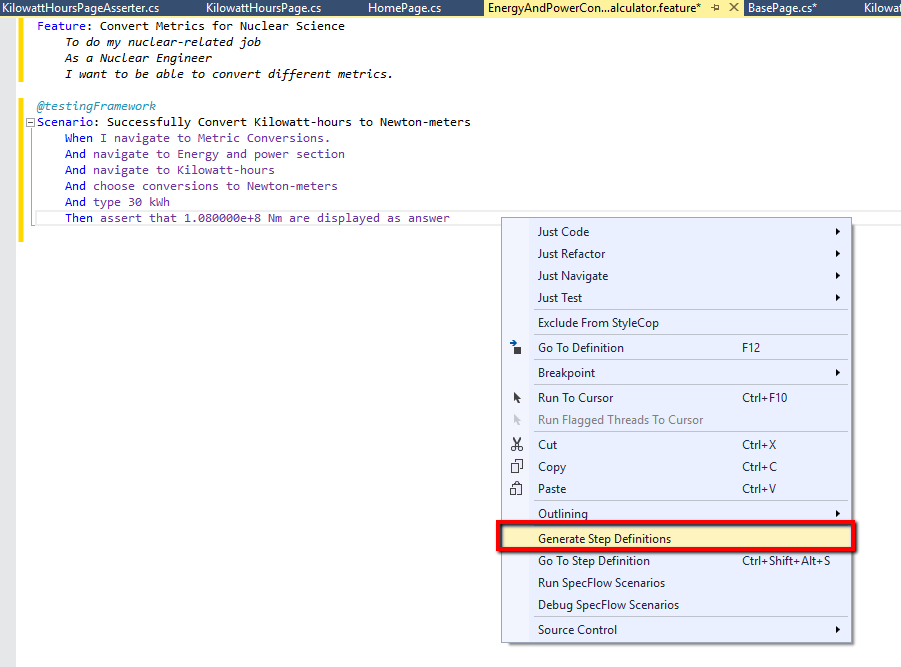
Generate Regular Expressions in Attributes Bindings
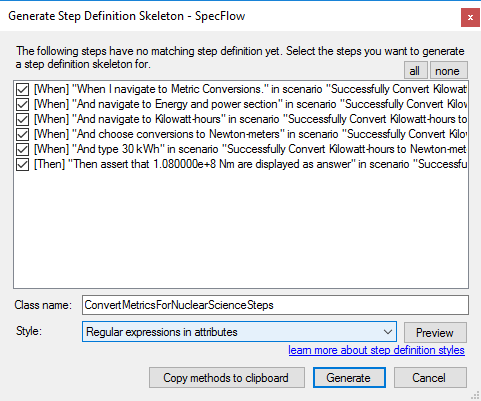
public class ConvertMetricsForNuclearScienceStepsRegularExpressions
{
    [When(@"I navigate to Metric Conversions")]
    public void WhenINavigateToMetricConversions_()
    {
        ScenarioContext.Current.Pending();
    }
    [When(@"navigate to Energy and power section")]
    public void WhenNavigateToEnergyAndPowerSection()
    {
        ScenarioContext.Current.Pending();
    }
    [When(@"navigate to Kilowatt-hours")]
    public void WhenNavigateToKilowatt_Hours()
    {
        ScenarioContext.Current.Pending();
    }
    [When(@"choose conversions to Newton-meters")]
    public void WhenChooseConversionsToNewton_Meters()
    {
        ScenarioContext.Current.Pending();
    }
    [When(@"type (.*) kWh")]
    public void WhenTypeKWh(int p0)
    {
        ScenarioContext.Current.Pending();
    }
    [Then(@"assert that (.*) Nm are displayed as answer")]
    public void ThenAssertThatENmAreDisplayedAsAnswer(Decimal p0, int p1)
    {
        ScenarioContext.Current.Pending();
    }
}
Generate Method Underscores Bindings
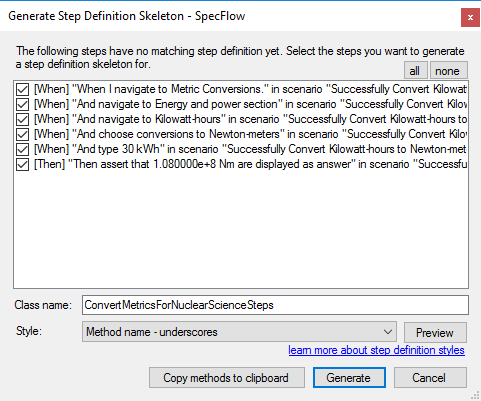
public class ConvertMetricsForNuclearScienceStepsMethodUnderscrores
{

    public void When_I_navigate_to_Metric_Conversions()
    {
        ScenarioContext.Current.Pending();
    }

    public void When_navigate_to_Energy_and_power_section()
    {
        ScenarioContext.Current.Pending();
    }

    public void When_navigate_to_Kilowatt_hours()
    {
        ScenarioContext.Current.Pending();
    }

    public void When_choose_conversions_to_Newton_meters()
    {
        ScenarioContext.Current.Pending();
    }

    public void When_type_P0_kWh(int p0)
    {
        ScenarioContext.Current.Pending();
    }

    public void Then_assert_that_P0_Nm_are_displayed_as_answer(string p1)
    {
        ScenarioContext.Current.Pending();
    }
}
Generate Pascal Case Bindings
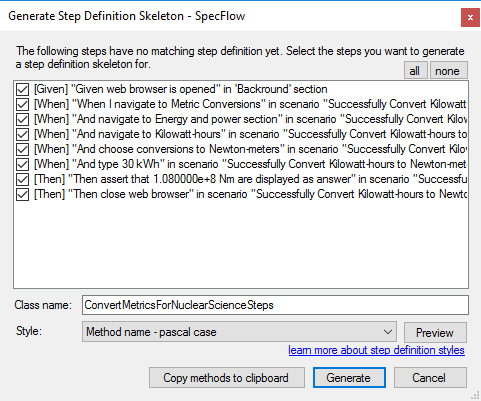
public class ConvertMetricsForNuclearScienceSteps
{

    public void WhenINavigateToMetricConversions()
    {
        ScenarioContext.Current.Pending();
    }

    public void WhenNavigateToEnergyAndPowerSection()
    {
        ScenarioContext.Current.Pending();
    }

    public void WhenNavigateToKilowattHours()
    {
        ScenarioContext.Current.Pending();
    }

    public void WhenChooseConversionsToNewtonMeters()
    {
        ScenarioContext.Current.Pending();
    }

    public void WhenType_P0_KWh(int p0)
    {
        ScenarioContext.Current.Pending();
    }

    public void ThenAssertThat_P0_NmAreDisplayedAsAnswer(string p0)
    {
        ScenarioContext.Current.Pending();
    }
}
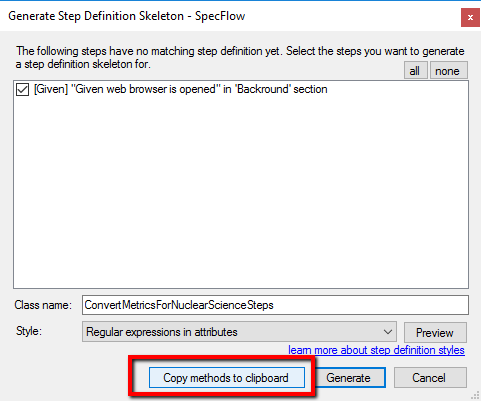
Copy Bindings to Clipboard
Populate Binding Methods
public class ConvertMetricsForNuclearScienceSteps
{
    private HomePage homePage;
    private KilowattHoursPage kilowattHoursPage;
    [Given(@"web browser is opened")]
    public void GivenWebBrowserIsOpened()
    {
        Driver.StartBrowser(BrowserTypes.Chrome);
    }
    [Then(@"close web browser")]
    public void ThenCloseWebBrowser()
    {
        Driver.StopBrowser();
    }
    [When(@"I navigate to Metric Conversions")]
    public void WhenINavigateToMetricConversions_()
    {
        this.homePage = new HomePage(Driver.Browser);
        this.homePage.Open();
    }
    [When(@"navigate to Energy and power section")]
    public void WhenNavigateToEnergyAndPowerSection()
    {
        this.homePage.EnergyAndPowerAnchor.Click();
    }
    [When(@"navigate to Kilowatt-hours")]
    public void WhenNavigateToKilowatt_Hours()
    {
        this.homePage.KilowattHours.Click();
    }
    [When(@"choose conversions to Newton-meters")]
    public void WhenChooseConversionsToNewton_Meters()
    {
        this.kilowattHoursPage = new KilowattHoursPage(Driver.Browser);
        this.kilowattHoursPage.KilowatHoursToNewtonMetersAnchor.Click();
    }
    [When(@"type (.*) kWh")]
    public void WhenTypeKWh(double kWh)
    {
        this.kilowattHoursPage.ConvertKilowattHoursToNewtonMeters(kWh);
    }
    [Then(@"assert that (.*) Nm are displayed as answer")]
    public void ThenAssertThatENmAreDisplayedAsAnswer(string expectedNewtonMeters)
    {
        this.kilowattHoursPage.AssertFahrenheit(expectedNewtonMeters);
    }
}
Execute SpecFlow Tests

Test Outcome
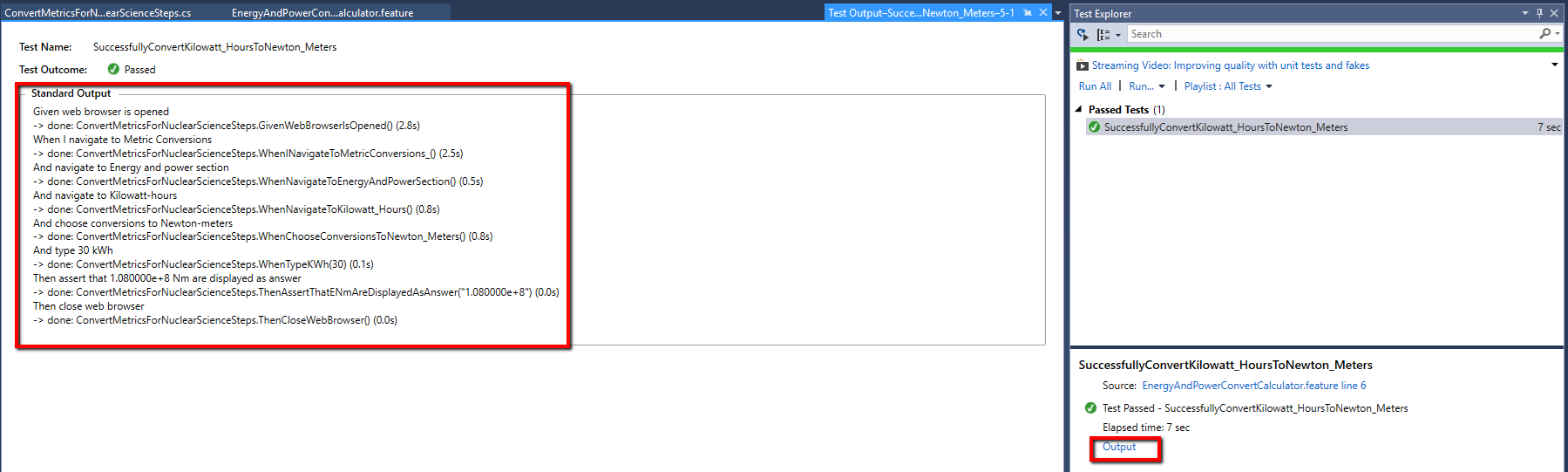
Debug Scenarios